

Step 01 of 03
Scope.
We understand the actual problem.
A real conversation about the problem, not the software you think you want. You get a written scope and a fixed price before anything starts.
AI automation · Custom software · Vera



For a custom build, tell us what you need and we'll reply with a scope and a fixed price. Here for Vera? You don't need to talk to anyone first.
Start a project02 / Services
Your workflow doesn't have to fit someone else's software. We build around how your business already works: real software, scoped and delivered the way an engineering team would.
One workflow, one integration, one clear job. An n8n workflow or AI agent that takes a repetitive task off your plate.
03 / Process
Real software, built with AI speed and reviewed by a person at every step. You always know the scope and the price before anything starts.
Step 01 of 03
We understand the actual problem.
A real conversation about the problem, not the software you think you want. You get a written scope and a fixed price before anything starts.
Step 02 of 03
We design and build the system.
You review and approve at each checkpoint (architecture, then build, then testing), so there are no surprises at delivery.
Step 03 of 03
Your system goes into production.
Deployed, documented and handed off, with a support window included and an easy path to ongoing help if you need it.
Your turn
We'll take it from there.
Tell us what you need and we'll reply with a scope and a fixed price.
Start a project04 / Vera, AI bookkeeping
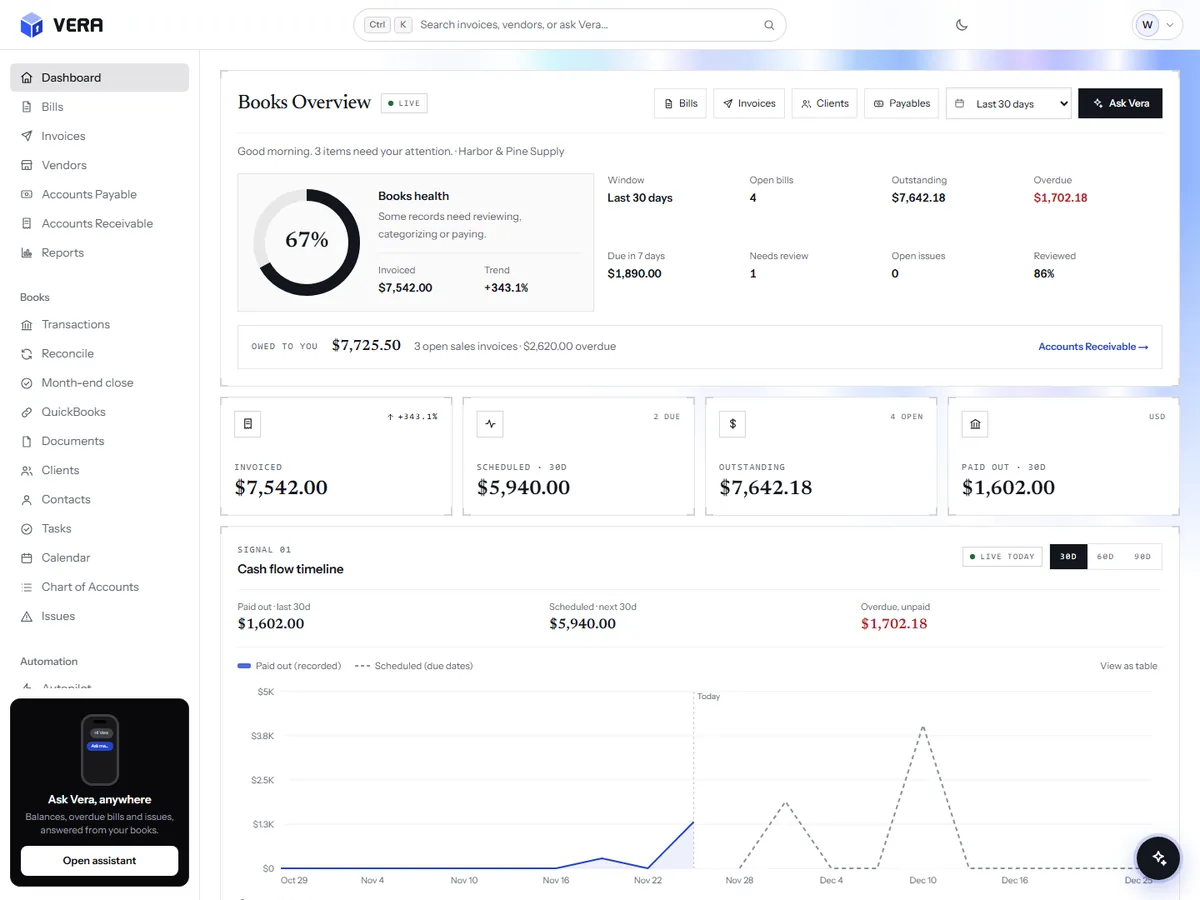
Our AI bookkeeping app. Upload a bill, invoice or receipt and Vera reads every field an accountant needs, tells you how sure it is, and keeps your books in order, with you approving anything that matters.
Confidence 90–100
Every required field is present and looks right. Saved automatically, no review needed.
Confidence 60–89
Something's slightly off, like an odd date format or an unusual amount. Saved, but flagged for a quick look.
Confidence <60
A required field is missing or doesn't parse. Held back with the specific reason, never entered blind.
Every field gets a confidence score from 0 to 100, and the score decides what happens next.
Sample invoice for illustration · cascade-freight-aug.pdf
| Field | Read as | Confidence |
|---|---|---|
| Vendor · Cascade Freight Co. | Cascade Freight Co. | 98High |
| Invoice # · CF-20418 | CF-20418 | 97High |
| Invoice date · 13/08/26Odd date format | 13/08/26 | 82Medium |
| Due date · Not foundMissing from the scan | Not found | 31Review |
| Subtotal · $2,000.00 | $2,000.00 | 96High |
| Tax · $140.00Unusual amount for this vendor | $140.00 | 74Medium |
| Total · $2,140.00 | $2,140.00 | 99High |
Held back for review. Due date is missing, and 2 fields are flagged for a quick look. Vera shows the reason instead of guessing; nothing is entered blind.
Everything from the first upload to the books your accountant needs.
PDFs, scans, phone photos and iPhone HEIC photos, up to 10 MB. No templates and no special format from your vendors.
Every plan
Every invoice lands in an editable spreadsheet view with its status, custom fields you add yourself, and an .xlsx export.
Every plan
Receipts are recognised at upload and saved as paid. Type in a cash expense in seconds.
Every paid plan
Send bills, expenses, sales invoices and payments to QuickBooks Online with a click, bring in vendors and customers, or export import files.
Every paid plan
What you owe and what you're owed, aged and totalled in each currency, with vendor and client pages.
Growth and Enterprise
Import any bank's CSV, match each line to a bill or payment, and record what's left as an expense.
Growth and Enterprise
Ask what's overdue or what you owe a vendor. Vera answers from your books and asks before it records or changes anything.
Growth and Enterprise
Your own rules on new invoices: flag them for review, open an issue, or email your team. Members draft rules; only the owner switches them on.
Growth and Enterprise
Tasks, a calendar and reminders tied to your bills and vendors.
Growth and Enterprise
Switch between workspaces, get a daily digest of bills due, and protect sign-in with an authenticator app. Invite your team on Growth and Enterprise.
Every paid plan
05 / Security
You're trusting us with real financial documents. Here's exactly how that data is handled: no vague promises, only what's true today.
Invoice data is stored with AES-256 encryption at rest through our database provider, not in a plaintext spreadsheet somewhere.
Every file you upload travels over TLS 1.2 or newer the entire way. Nothing moves unencrypted.
Your documents are processed to extract your data and nothing else. They're never used to train or improve any AI model.
Every account's data lives in its own workspace, enforced at the database level, not only in the app. Your records are never reachable from another account.
Every change to a financial record (who made it, when and what changed) is logged and kept, so nothing happens to your books without a trace.
Sign in with an authenticator app as well as your password. Owners and admins need it before they can change billing or QuickBooks.
Invoice data is stored with AES-256 encryption at rest through our database provider, not in a plaintext spreadsheet somewhere.
NECODR is not SOC 2 certified yet. We're a small, early-stage team, and we'd rather tell you that plainly than imply otherwise. Formal certification is on our roadmap; every claim above is true of our systems today.
06 / Pricing
Vera is priced by how many invoices you process each month. Custom builds get a fixed quote before any work starts.
For steady, modest invoice volume.
$59/mo
100 invoices a month, then $0.75 each
For teams processing invoices daily.
$299/mo
750 invoices a month, then $0.75 each
For high-volume operations.
$999/mo
5,000 invoices a month, then $0.75 each
Your first invoice is free, no card needed. Plans are billed monthly and you can cancel any time. Questions first? Talk to us
One workflow, one integration, one clear job.
From $2.5k
Fixed price, scoped upfront
A real tool: database, dashboard, multiple workflows.
From $8k
Fixed price, milestone payments
Keep improving what we've already built.
From $800/mo
Monthly retainer
How does Vera actually work?
07 / Questions
If something's not covered here, email support@necodr.com. A real person reads and answers every message.
Drop a PDF, scan or photo into the app. Vera reads it, pulls out the vendor, invoice number, dates, line items and totals, and scores its own confidence on every field in a live spreadsheet view. High-confidence data is ready to use immediately; anything uncertain is flagged with the exact reason.
08 / Start
Tell us what you need built and we'll take it from there. Here for Vera? You don't need to talk to anyone first. Create an account and process your first invoice free.
For a custom build, tell us what you need and we'll reply with a scope and a fixed price.
support@necodr.comNo fluff and no daily email: practical notes from building Vera and NECODR, every couple of weeks.
Real software, built with AI speed and reviewed by a person at every step. You always know the scope and the price before anything starts.
NECODR